Home / Features and capabilities Your books, Prepare invoices, track payments and understand your numbers. Ask TallyAI to help with the work.
TallyAI Tell your accounting copilot what needs doing. Choose a task to see the request, the work and the result.
What would you like to do? Create a quotation Create a quotation: TallyAI response
You Create a quotation for Maya Studio dated 1 September 2026: two hours of design work at RM150 an hour, with no tax.
TallyAI TallyAI is thinking...
I've created a draft quotation for Maya Studio. Two hours of design work at RM150 an hour comes to RM300. It's saved and ready for you to check.
Draft quotation created
Customer Maya Studio
Date 1 September 2026
Design work 2 hours × RM150
Tax RM0
Total RM300 Saved as a draft. Nothing has been sent to the customer.
Start free trial Prepare an invoice Prepare an invoice: TallyAI response
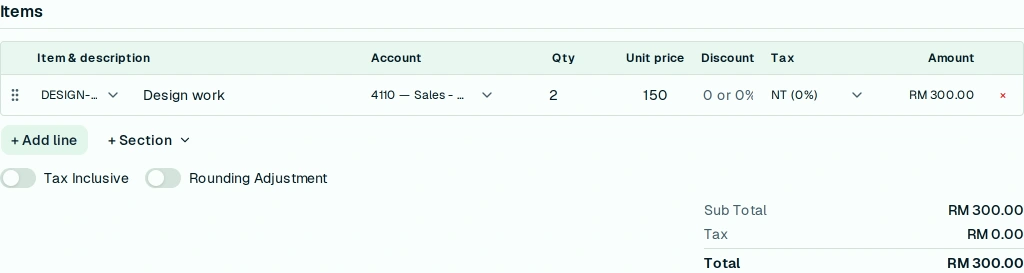
You Invoice Maya Studio for two hours of design work at RM150 an hour, dated 1 September 2026, with no tax. Let me check it before saving.
TallyAI TallyAI is thinking...
Your invoice is filled in and ready to check. Two hours of design work at RM150 an hour comes to RM300. Review the details, then save when you're ready.
Invoice ready for review
Customer Maya Studio
Date 1 September 2026
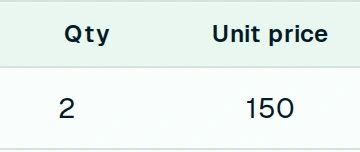
Design work 2 hours × RM150
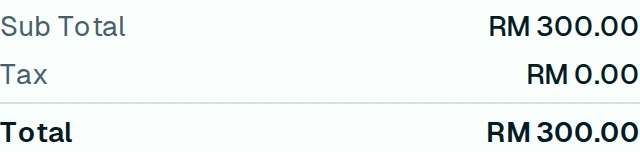
Tax RM0
Total RM300 Adjust hours or rate Review your changes before you continue. Changes here are not saved.
Hours Rate per hour (MYR)
The total is RM300. Nothing has been saved.
Reset line No invoice has been saved or posted.
Start free trial Match bank transactions Match bank transactions: TallyAI response
You Match the clear entries on this imported August 2026 statement. Leave anything uncertain for me.
TallyAI TallyAI is thinking...
I've matched 8 of the 10 statement lines. One has more than one possible match; one has no match.
Statement matching
Matched 8 lines
Needs your review 2 lines Those two still need your review. The statement has not been finalized.
Start free trial Understand a sales change Understand a sales change: TallyAI response
You Compare July and August 2026 net sales. What changed?
TallyAI TallyAI is thinking...
Net sales fell from RM20,000 to RM16,000, a 20% drop. Customer A's recorded sales fell by RM4,000; Customer B's were unchanged.
Monthly net sales · 2026 Month Net sales July RM20,000 August RM16,000
MYR, including tax. Posted invoices minus credit notes plus debit notes. This is not cash collected.
The change is in Customer A's recorded net sales. Review their invoices and adjustments next.
Start free trial See who still needs to pay See who still needs to pay: TallyAI response
You Who owes us money as of 31 August 2026?
TallyAI TallyAI is thinking...
RM3,000 is still outstanding. Customer A owes RM2,000, between 1 and 30 days overdue. Customer B owes RM1,000, which is not yet due.
Outstanding customer balances
Overdue RM2,000
Not yet due RM1,000 These are outstanding posted invoice balances in MYR as of 31 August, including tax, after recorded payments and other allocations.
Start free trial Find my top-selling items Find my top-selling items: TallyAI response
You Which items brought in the most revenue in August 2026? Show the top five.
TallyAI TallyAI is thinking...
Here are your five highest-revenue items for August, excluding tax. Item A leads with RM6,000 in revenue and RM2,400 in gross profit.
Scroll sideways to see every column.
MYR, before tax. Five items shown.
This item breakdown includes posted invoices and cash sales, less sales returns. It does not include credit notes.
Start free trial Choose a task. Examples use sample data.
Skip animation
Sales and purchases Get quotations, invoices and supplier bills ready. Keep customer payments and supplier balances with the records behind them.
Product screenshot
Subtotal, tax and total. Scroll sideways to inspect.
Three close-ups of the same invoice. Demo data. Two hours at RM150 totals RM300, with no tax. TallyAI prepared this invoice for review before saving.Documents and payments Prepare quotations, sales orders and invoices. Record customer payments and check balances. Manage purchase orders, goods received, supplier bills and payments. Handle credit and debit notes, returns and statements. Try preparing an invoice
Reports Check income, balances and sales. Ask TallyAI to compare results and show the records behind the totals.
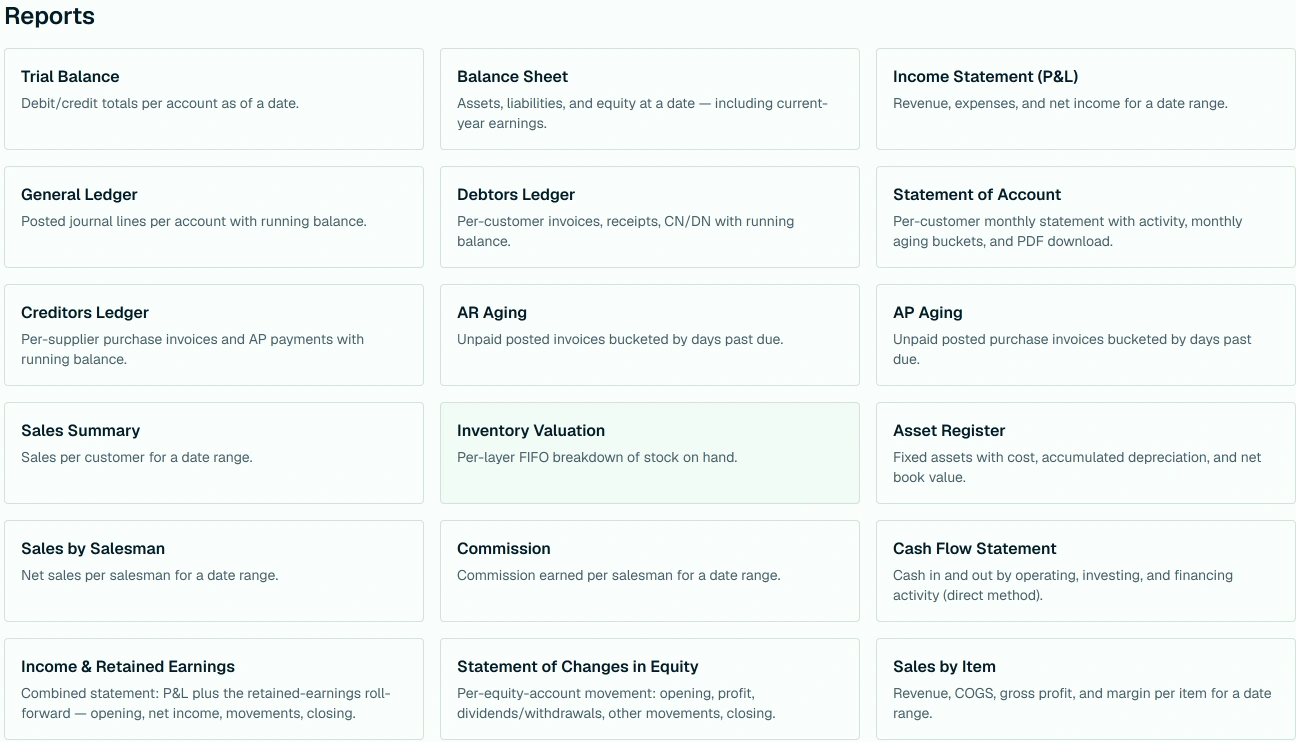
Reports menu Financial statements and sales summaries Review financial statements, aging and sales summaries. Export the rows TallyAI shows to Excel.
See the top-selling items task
Stock and accounting Keep track of stock movements and maintain the accounting records that bring your books together.
Stock and production Track stock balances, movements and adjustments. Manage items, units of measure and serial numbers. Prepare bills of materials and production orders, with separate draft and processing steps. Accounting and period-end work Record journals and manage fixed assets, depreciation and year-end checks. Work with multiple currencies and prepare SST-02.
Banking Bring imported statement entries and recorded transactions together. Leave uncertain matches for your review.
Import your statement Start on the bank screen with the statement you want to reconcile.
Ask TallyAI to match entries Match clear entries to recorded transactions.
Check what needs your attention Review uncertain matches and differences before finalizing.
Try the bank-matching task
Team access TallyAI follows your company settings, account permissions and accounting checks.
Review and permissions Ask to check a prepared invoice before saving, or request an action you are allowed to perform. The same accounting checks apply to TallyAI's work.
Explore Companion mode
A few practical Can I check an invoice before saving? Yes. Ask TallyAI to prepare it for review, then check the details and save when you are ready.
How does TallyAI help explain a change? It compares your records, shows where results changed and suggests what to inspect next.
How does TallyAI use my permissions? TallyAI works within your company's settings and your access. The same accounting checks apply to its work.
Put TallyAI to work 
 TallyAIInteractive example